kottke.org posts about Apple
So that companies can use them to make accessories like cases and bands, Apple maintains a collection of downloadable dimensional drawings and tech specifications for many of their products, including the iPhone, AirPods, Watch, and iPad. They are beautiful.
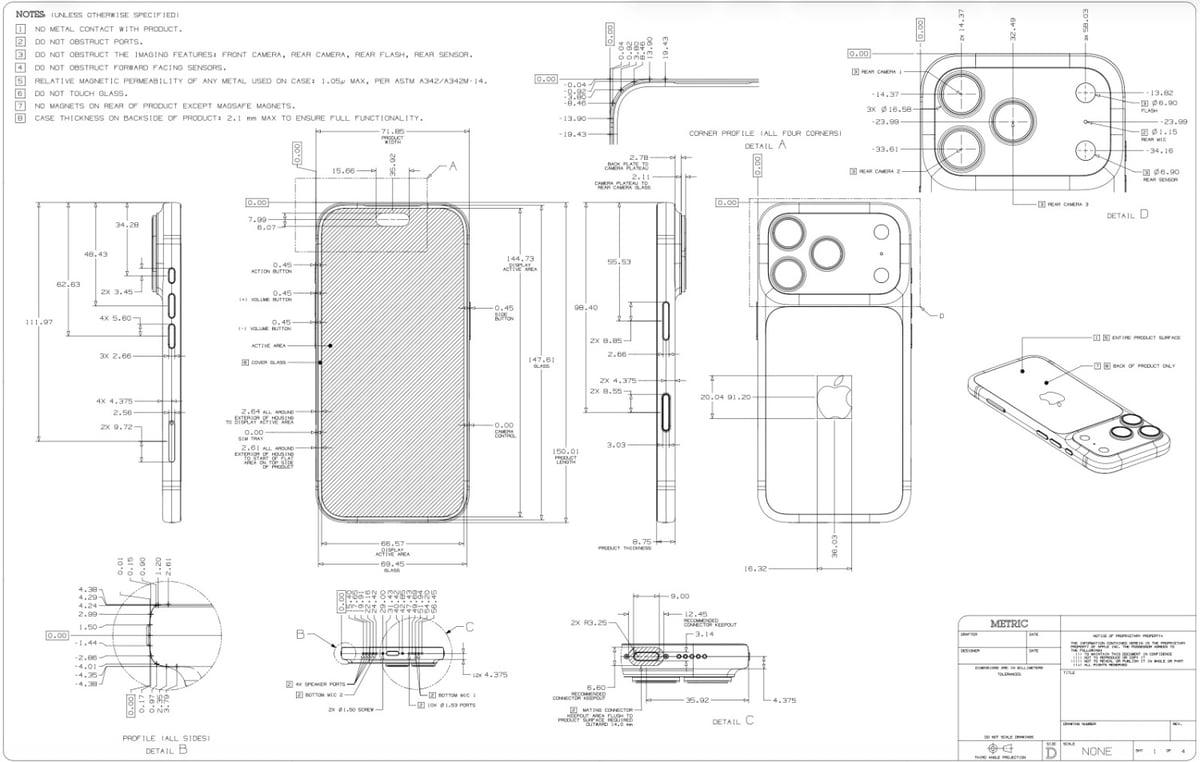
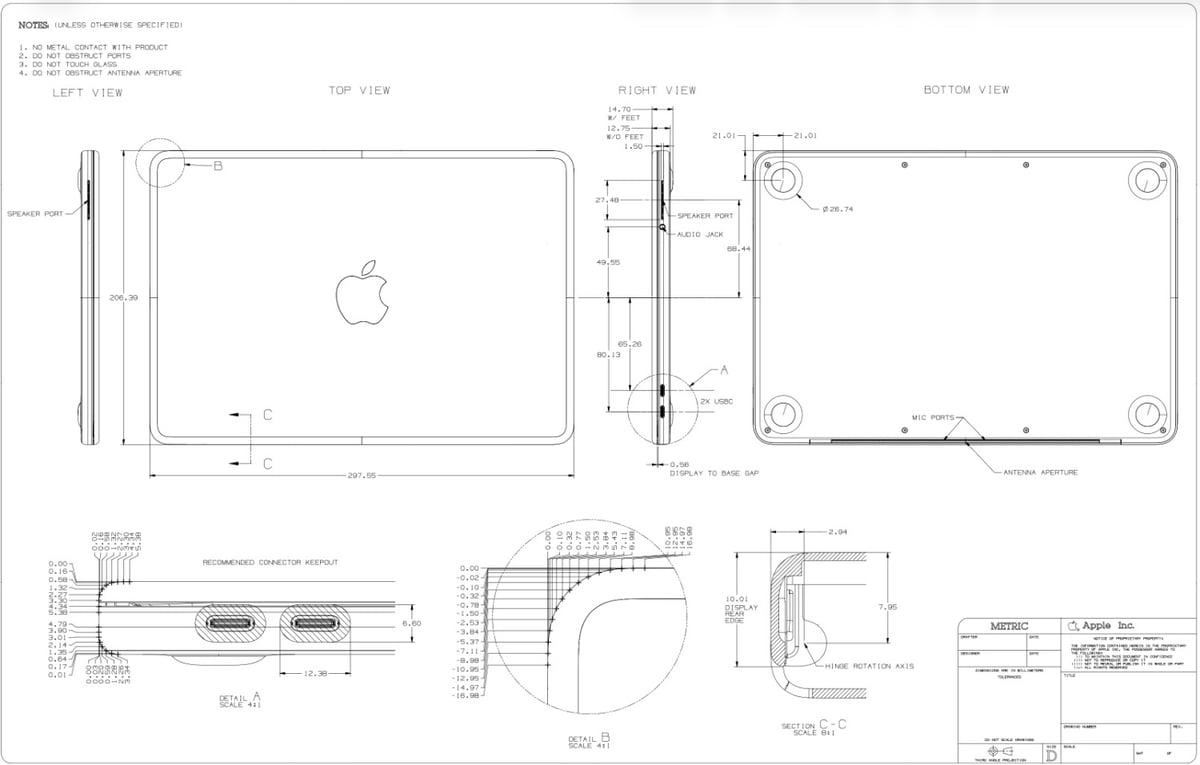
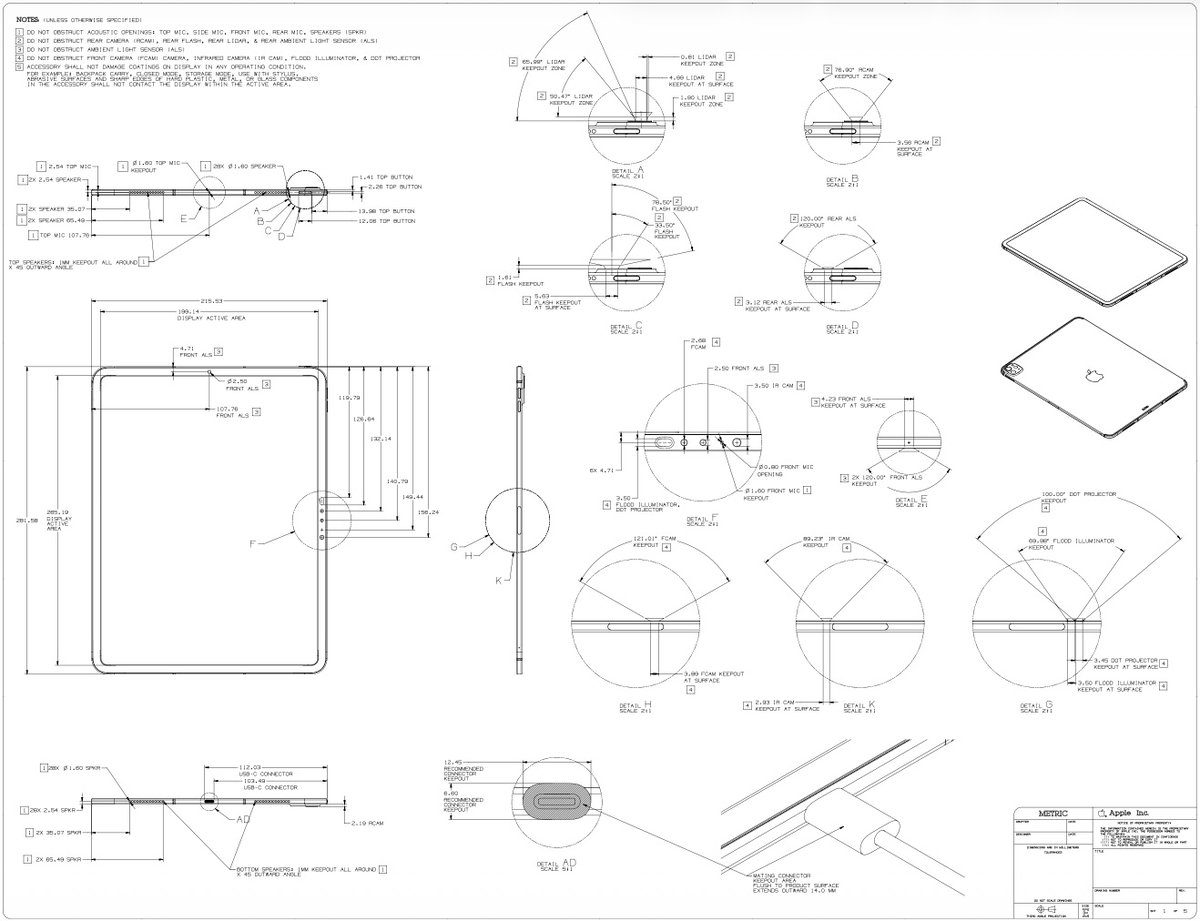
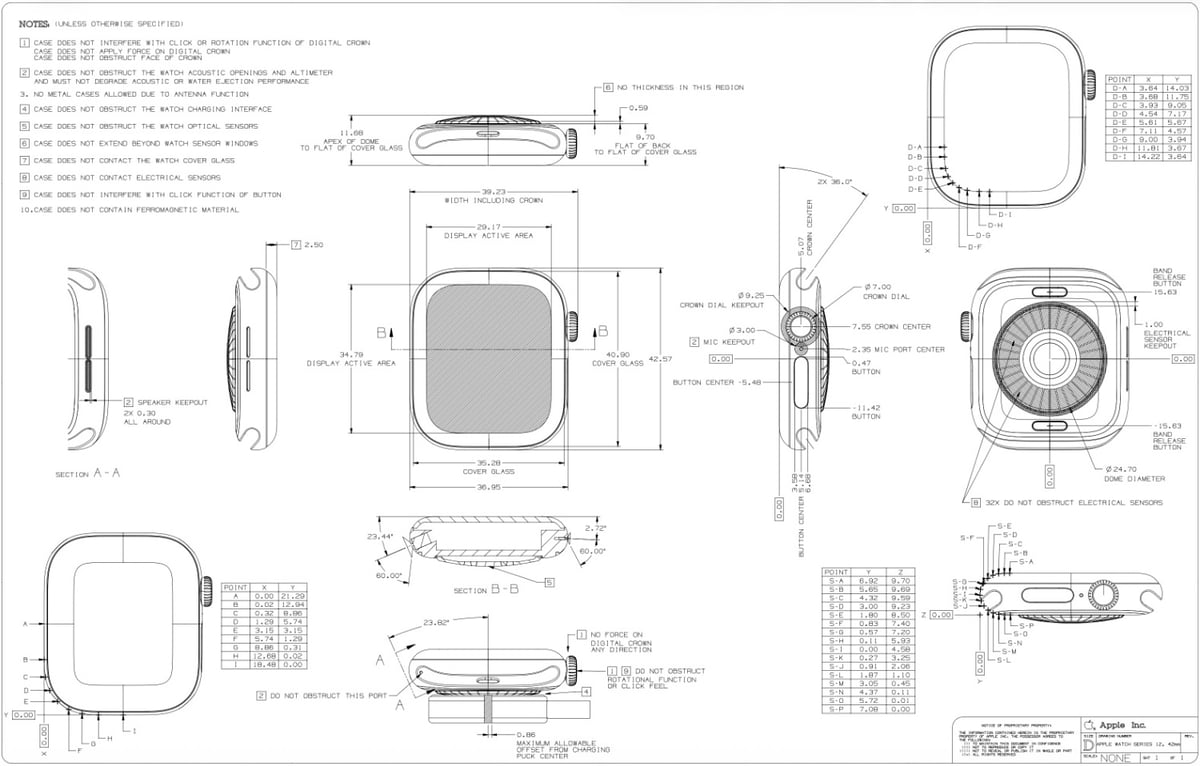
I love their corner & edge measurements…you can see how fiddly Apple is with their curves. Curiously, the only Mac listed is the Macbook Neo. I guess that’s the only one that needs accessorizing?
Also, I presume if you’ve got a 3D printer, you could use these to make your own very precise accessories?
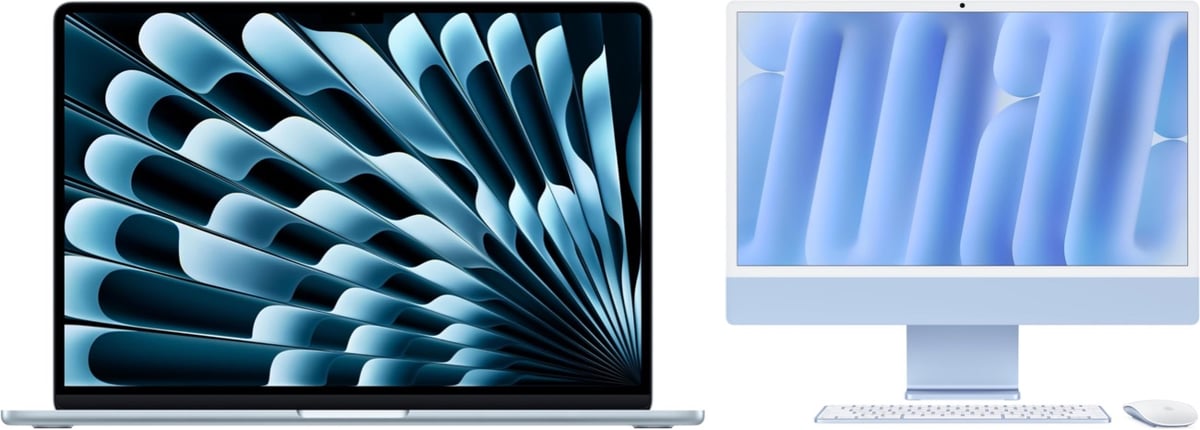
Apple raised their prices on their laptops, iMacs, and iPads today due to the high cost of memory (driven by AI demand). The Macbook Neo’s price went up $100 with most other machines getting a $200-500 bump.
But those prices have yet to take effect at Amazon, where Apple computers are still cheaper than the old prices. Macbook Neo for $590, MacBook Air M5 for $1150, and the M4 iMac for $1150. You can check other models (MacBook Pros, etc.) and their pricing here. Not sure when RAM costs are going to come down…these might be the lowest prices you see on Apple machines for quite awhile.
Update: looks like the Amazon prices have gone up. Oh well.
Maybe it’s because I’m a little bit allergic to hype, but I just now got around to reading this review of the Macbook Neo by Sam Henri Gold that absolutely everyone has been recommending and, well, this might be the best product review ever written?
The consensus is reasonable: $599, A18 Pro, 8GB RAM, stripped-down I/O. A Chromebook killer, a first laptop, a sensible machine for sensible tasks. “If you are thinking about Xcode or Final Cut, this is not the computer for you.” The people saying this are not wrong. It is also not the point.
Nobody starts in the right place. You don’t begin with the correct tool and work sensibly within its constraints until you organically graduate to a more capable one. That is not how obsession works. Obsession works by taking whatever is available and pressing on it until it either breaks or reveals something. The machine’s limits become a map of the territory. You learn what computing actually costs by paying too much of it on hardware that can barely afford it.
Gold captures something here about every single person I’ve ever known who fell in love with computers as a kid in the 70s, 80s, and 90s experienced — the sense of tremendous possibility represented by these machines paired with the glorious struggle to push them beyond their limits. For many of us, it was our first glimpse of infinity — as long as your curiosity & obsession remained, you could keep going forever.
Unrelatedly-ish, it is also really interesting that Apple’s answer to the AI gold rush is a $499 laptop (Neo price w/ educational discount). I don’t know if it suggests that the multi-trillion dollar, multinational corporation that Apple has become retains some institutional memory of what computing used to mean to people, but it’s something.
After posting the video on the history of HyperCard the other day, I went down a bit of a HyperCard rabbit hole on the Internet Archive. There are a ton of HyperCard programs, manual & packaging scans, and other resources available on IA; among them:
I also found this version of Brian Eno’s Oblique Strategies:
You can see why people call HyperCard “the web before the web”…it’s all right there.
Also, don’t miss this comment from Keith Dawson (who you may remember from the pioneering tech newsletter Tasty Bits From the Technology Front) on how HyperCard was almost called Wildcard.
Soon after, I took a call from Apple. Would we be willing to give up the name Wildcard, or at least license it for their use on a new product? We discussed it. No.
Wild.
This video traces the history of Apple’s HyperCard from Vannevar Bush’s idea of the Memex to the Mother of All Demos to the Xerox PARC Alto to Bill Atkinson, the inventor of HyperCard, who said:
HyperCard is a software erector set. It lets people put things together without having to know how to solder.
There’s a ton of information about HyperCard at hypercard.org, including this HyperCard simulator that runs in your browser.

Apple Macbook Air M4s are on sale again, somehow even cheaper than over the summer. The 13-inch base model is $749 (25% off) while this 15-inch one is $1,149.00 (-18% off). There are other configurations (more/less RAM/HD) too if you click through. Here’s what I wrote a few months ago about the 13-inch base model when it was $50 more:
This is the 13-inch base model and $800 is an absurdly low price for so much computer, especially in the age of the mad king’s tariff scheme.
I have the 15-inch M4 (typing on it now!) and I could not be happier with it. I had a 13-inch M1 Air before that and getting the faster M4 Air with a larger screen has changed where and I how I work, allowing me to be away from my desk a lot more (e.g. at the Tokyo coffee shop I’m sitting in now) but still be productive.
I bought a 15” Apple Macbook Air M4 a few months ago and I love it. Of course, I loved my previous computer (an M1 Macbook Air) too, but bumping up the screen size and quality has been a game-changer for me. More speed and memory is great too for running virtual machines and waaayyy too many tabs in Chrome. And it’s still super portable.
Just the other day I urged a friend (hi, Alex!) to upgrade from an older Intel Air, so when I saw that Amazon was selling M4 Airs for a discount, I figured I’d share the good word with you folks as well:
- Apple 2025 MacBook Air 15-inch Laptop, M4 chip, 16GB RAM, 512GB SSD Storage. $1,199.00 (-14% off). This is the one that I have, in sky blue, which really isn’t blue so much as a vibrant, slightly shimmering gray.
- Apple 2025 MacBook Air 13-inch Laptop, M4 chip, 16GB RAM, 256GB SSD Storage. $799.00 (-20% off). This is the 13-inch base model and $800 is an absurdly low price for so much computer, especially in the age of the mad king’s tariff scheme.
If you click through to either of those, there are more models with differing amounts of memory, hard drive, etc. Oh and all of them come with a 12-megapixel camera so you’ll look sharper on the screens of others during Zooms or FT calls, for better or worse. (via daring fireball)
Chosen by members of the Apple Music teams and a panel of experts (including Pharrell & Charli XCX), this is their list of the 100 Best Albums of all time (see also a text listing on Wikipedia). It’s an interesting list, worthy of argument and comparison to Rolling Stone’s list. Here’s the top 10:
1. The Miseducation of Lauryn Hill by Lauryn Hill
2. Thriller by Michael Jackson
3. Abbey Road by The Beatles
4. Purple Rain by Prince & The Revolution
5. Blonde by Frank Ocean
6. Songs in the Key of Life by Stevie Wonder
7. Good Kid, M.A.A.D City by Kendrick Lamar
8. Back to Black by Amy Winehouse
9. Nevermind by Nirvana
10. Lemonade by Beyoncé
You can stream all 100 albums on Apple Music and (unofficially, cheekily) on Spotify.
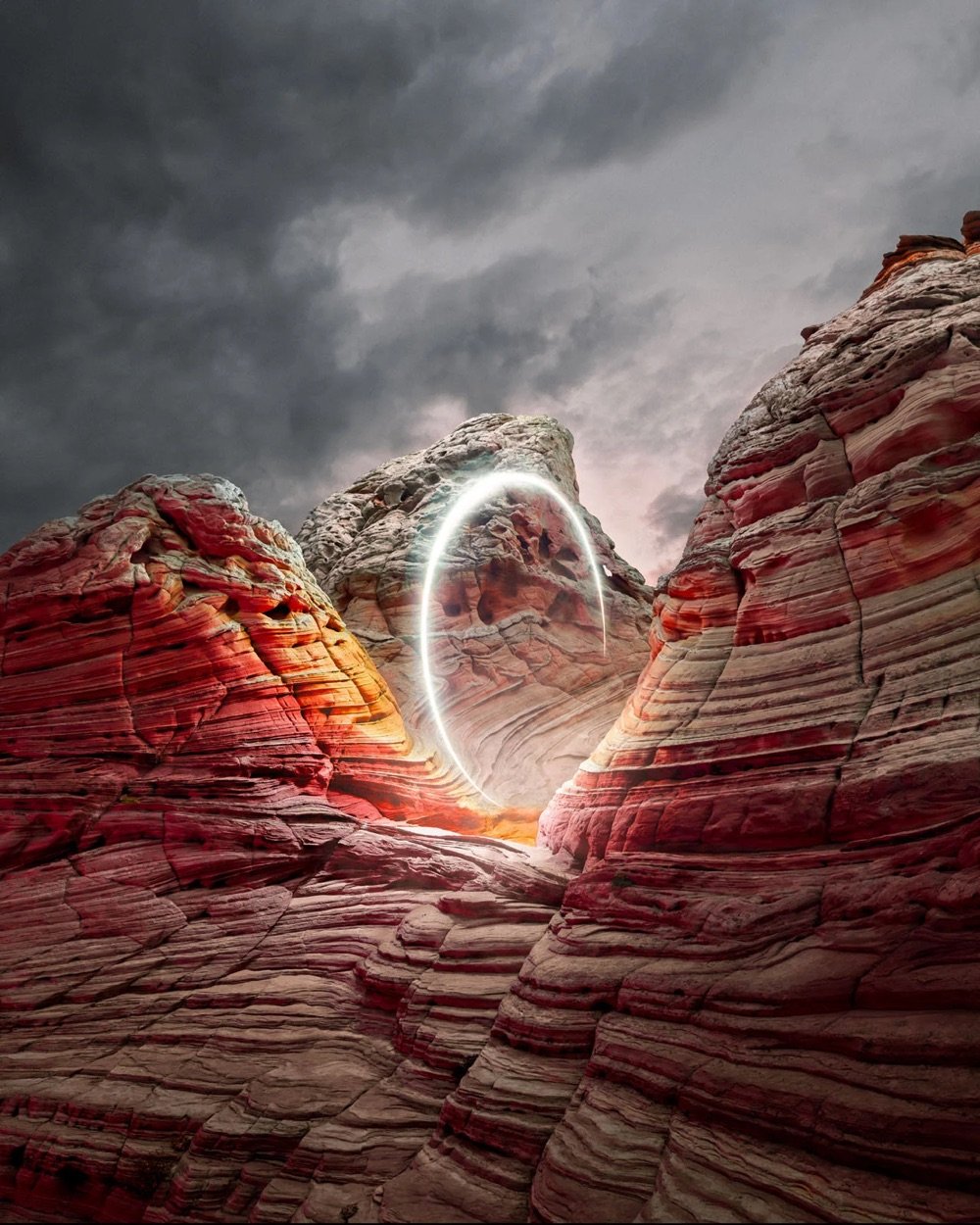
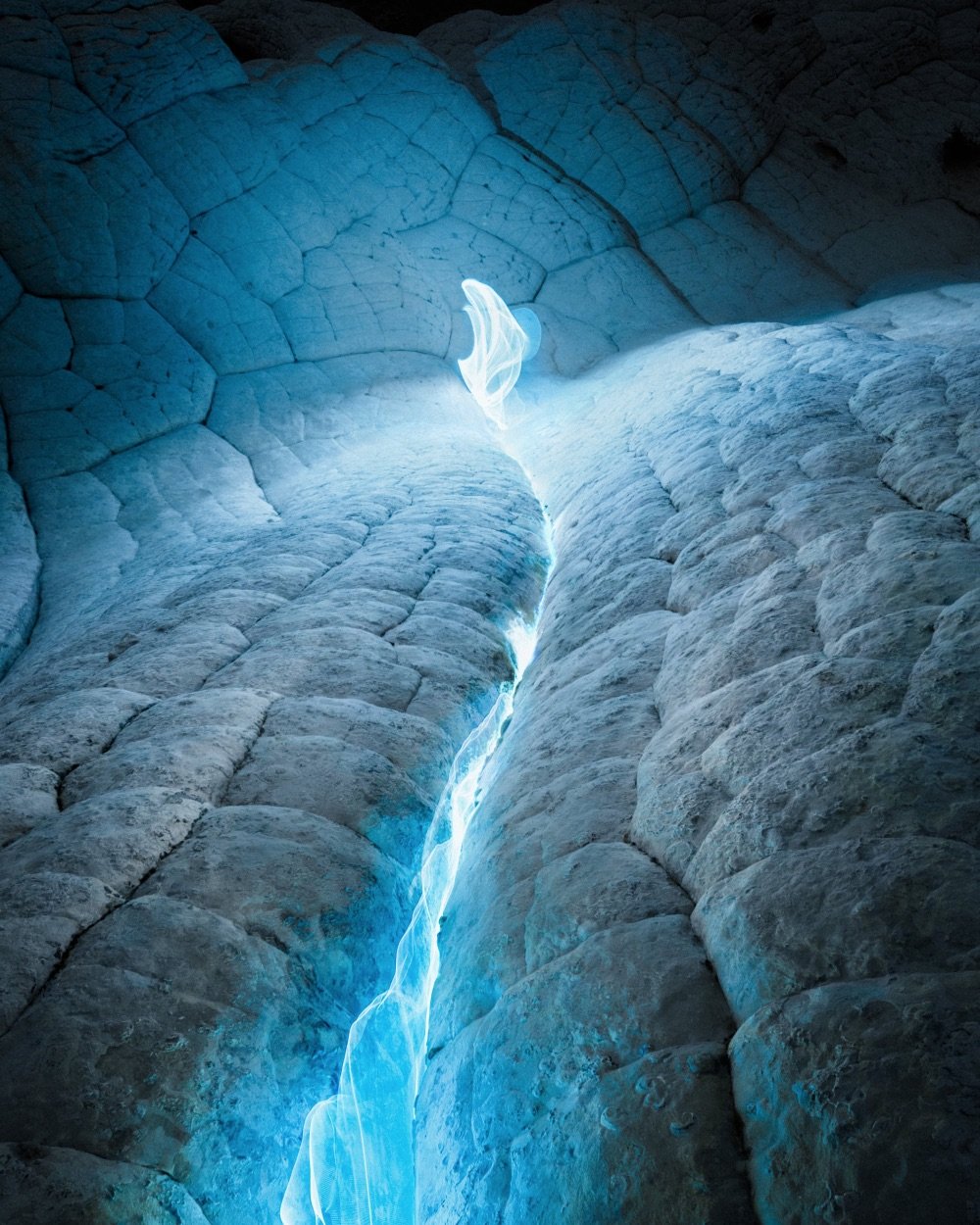

Photographer Reuben Wu was commissioned by Apple to take some of his wonderful light-painted photos with Apple iPhone 15 Pro Max in a project called The Inner Landscape.
So proud to be one of the first photographers to reveal a new series of images captured on the Apple iPhone 15 Pro Max and celebrate its launch. “The Inner Landscape” is a series of six unearthly places that feel more intimate than epic, more ambiguous than explicit, making up a body of work that feels cohesive through its sense of connection and psychological space.
I love Wu’s work. More information about this project can be found at Colossal, Petapixel, and on Wu’s Instagram.
The Apple Lisa was the more expensive and less popular precursor to the Macintosh; a recent piece at the Computer History Museum called Lisa “Apple’s most influential failure”.
Apple’s Macintosh line of computers today, known for bringing mouse-driven graphical user interfaces (GUIs) to the masses and transforming the way we use our computers, owes its existence to its immediate predecessor at Apple, the Lisa. Without the Lisa, there would have been no Macintosh — at least in the form we have it today — and perhaps there would have been no Microsoft Windows either.
The video above from Adi Robertson at The Verge is a good introduction to the Lisa and what made it so simultaneously groundbreaking and unpopular. From a companion article:
To look at the Lisa now is to see a system still figuring out the limits of its metaphor. One of its unique quirks, for instance, is a disregard for the logic of applications. You don’t open an app to start writing or composing a spreadsheet; you look at a set of pads with different types of documents and tear off a sheet of paper.
But the office metaphor had more concrete technical limits, too. One of the Lisa’s core principles was that it should let users multitask the way an assistant might, allowing for constant distractions as people moved between windows. It was a sophisticated idea that’s taken for granted on modern machines, but at the time, it pushed Apple’s engineering limits - and pushed the Lisa’s price dramatically upward.
And from 1983, a demo video from Apple on how the Lisa could be used in a business setting:
And a more characteristically Apple ad for the Lisa featuring a pre-stardom Kevin Costner:
Earlier today, I posted a Quick Link to the 2nd-generation AirPods Pro on Amazon because they were $50 off, a good deal for an item that’s rarely on sale. I’ve been using a pair of these for the past month or so after a strong recommendation from John Gruber, and I can’t believe how much better they performed over the 1st-gen ones (which were fine…better than fine even). The sound quality seems better, Transparency Mode (where you can simultaneously hear your music and amplified sound near you) is significantly improved, and the earbuds themselves are more comfortable than their predecessors.
But the real star for me is the noise cancelling. I try to use my treadmill a few times a week during the winter to keep fit/active and generally listen to music or watch some TV on my iPad while I walk/run. With my old AirPods Pro, I could still hear the whirring of the treadmill behind the music even with noise cancelling on. But with these new ones, the treadmill noise is nearly gone, especially if I’m listening to something particularly energetic. I took an airplane trip recently and was amazed to find that nearly all of the airplane noise was cancelled out…even playing some quiet classical music at a reasonable volume felt like I was listening in a quiet room. I’ve even been wearing them to listen to music while I work…they just sound better than my HomePod mini speaker and keep me more focused on my work.
So anyway, I posted that link and then discovered via the ensuing thread on Mastodon that you can tweak AirPods Pro using the accessibility settings on your phone to do stuff like amplifying soft sounds and tuning Transparency Mode to further boost audio to focus on a person in front of you:
Turn on Custom Transparency Mode, then adjust the amplification, balance, tone, and ambient noise reduction to help you hear what’s happening around you. You can also turn on Conversation Boost to focus on a person talking in front of you.
What an amazing feature for people who are hard of hearing or who have trouble focusing their audio attention (definitely me sometimes). And what’s more, you can actually upload an audiogram to create a custom profile that adjusts audio levels specifically to how you hear. What? I had no idea. Here’s Paul Lefebvre:
But, by far, the #1 thing for me is the hearing assistive features. I used the Mimi hearing app to take a hearing test and generate a hearing profile (I have slight high-end hearing loss). I then was able to apply this hearing profile to the AirPods and the sound got even better! I also turned on other settings to make sounds clearer in transparency mode.
Now I sometimes put these AirPods on with just transparency mode and use them to hear things from across the room or to better understand conversations.
And @mtwebb on Mastodon:
I also recently upgraded to the 2nd gen and imported my audiogram from a recent hearing test. They literally changed my life in certain noisy situations. I also recommend them, especially if you have some hearing loss but don’t quite need hearing aids.
And Marques Brownlee’s review is a good one:
To create an audiogram of your hearing, you can use the Mimi Hearing Test or SonicCloud Personalized Sound apps and then import it into your settings. I have no idea how good these audiograms are compared to an actual hearing test…you should talk to your doctor or head to a specialist if you’re in need of something really accurate. But for many people, I bet these apps work just fine. I haven’t done my audiogram yet - I’m gonna do the test after I publish this.
You can get the 2nd-gen AirPods Pro from Apple or at Amazon for $50 off (deal still valid as of 8am on 4/14).
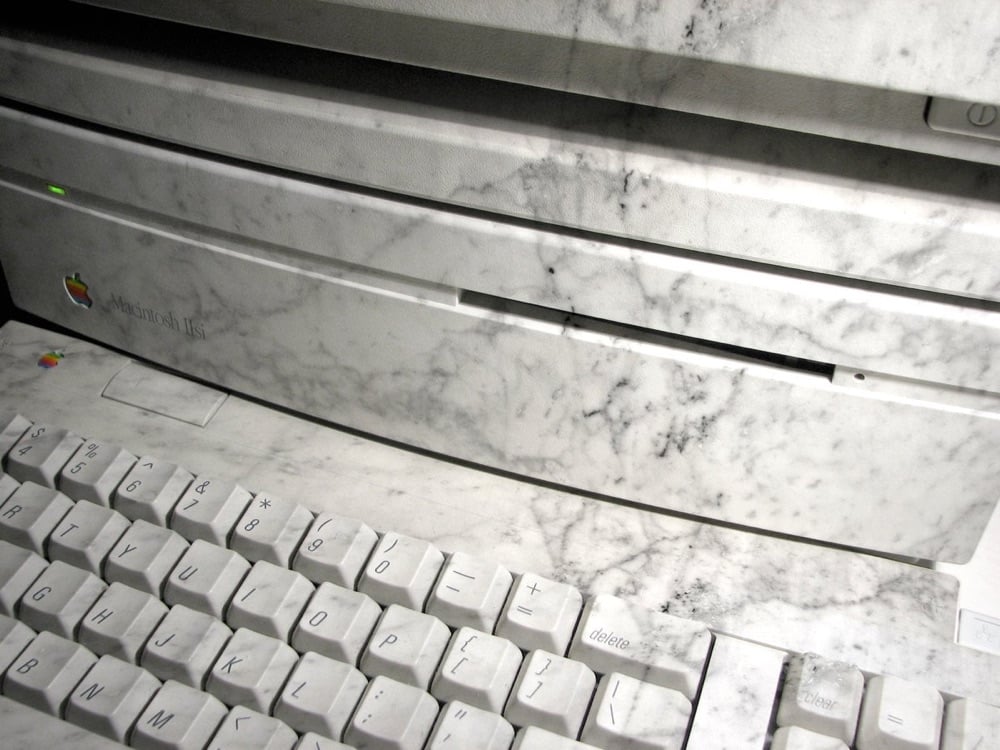
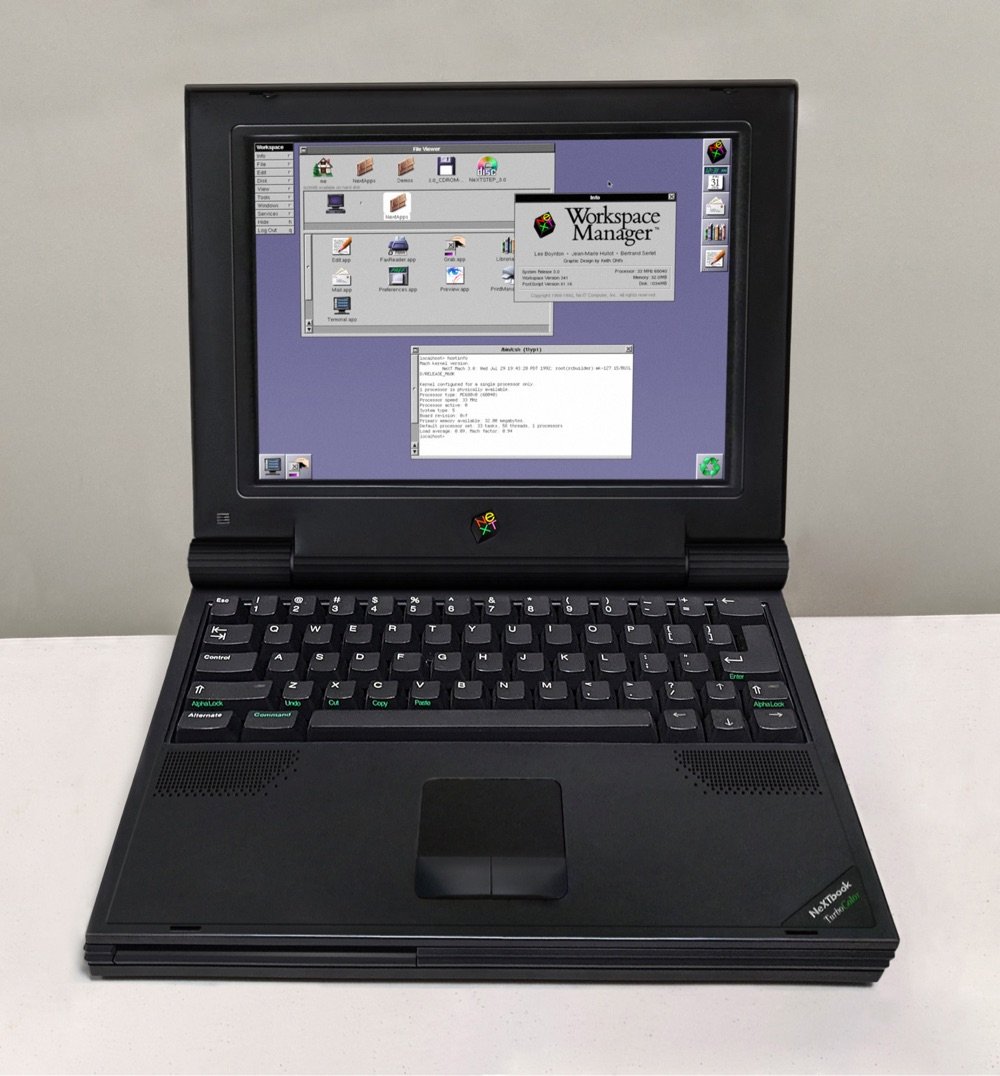
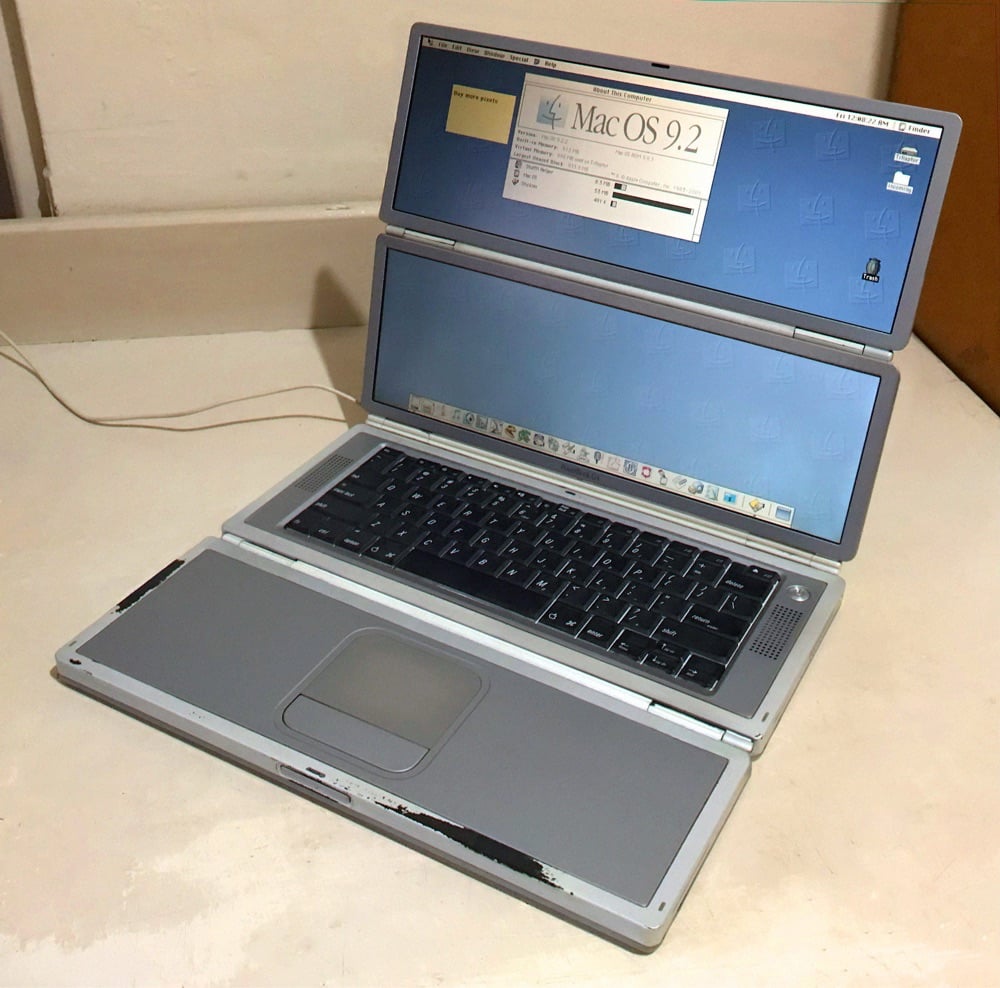
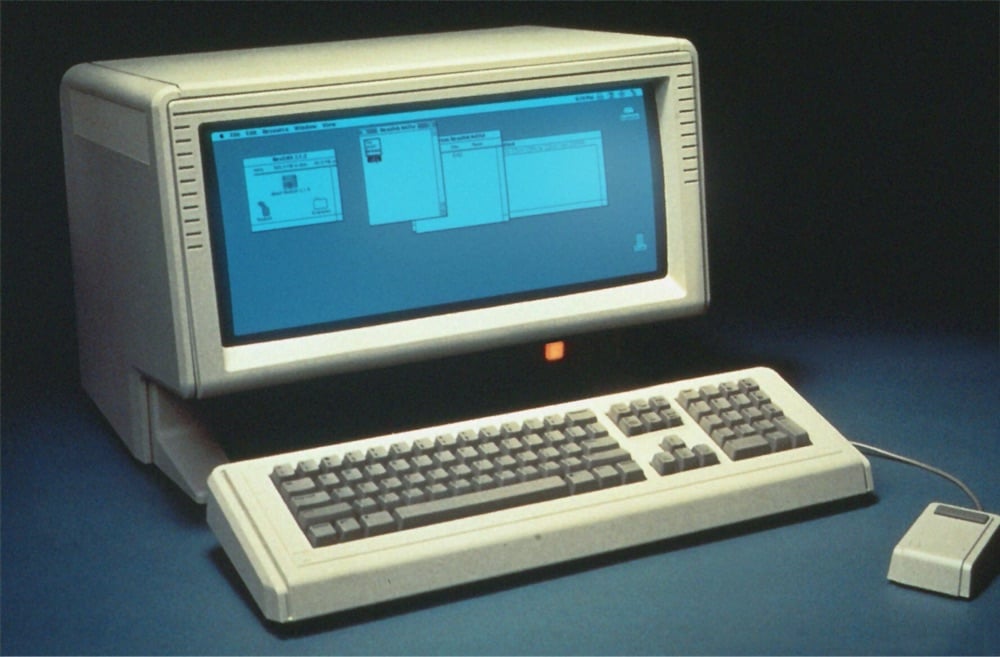
I spent more than a few minutes scrolling through Dana Sibera’s Mastodon feed (also on Twitter) featuring her imagined oddball tech items. Like this marble Mac:
A NeXT laptop? A NeXT laptop!
A foldable Powerbook:
And a widescreen Apple Lisa:
I found out about Sibera’s work via Marcin Wichary’s Shift Happens newsletter — you can find more examples of her work there, on Mastodon, or on Twitter.
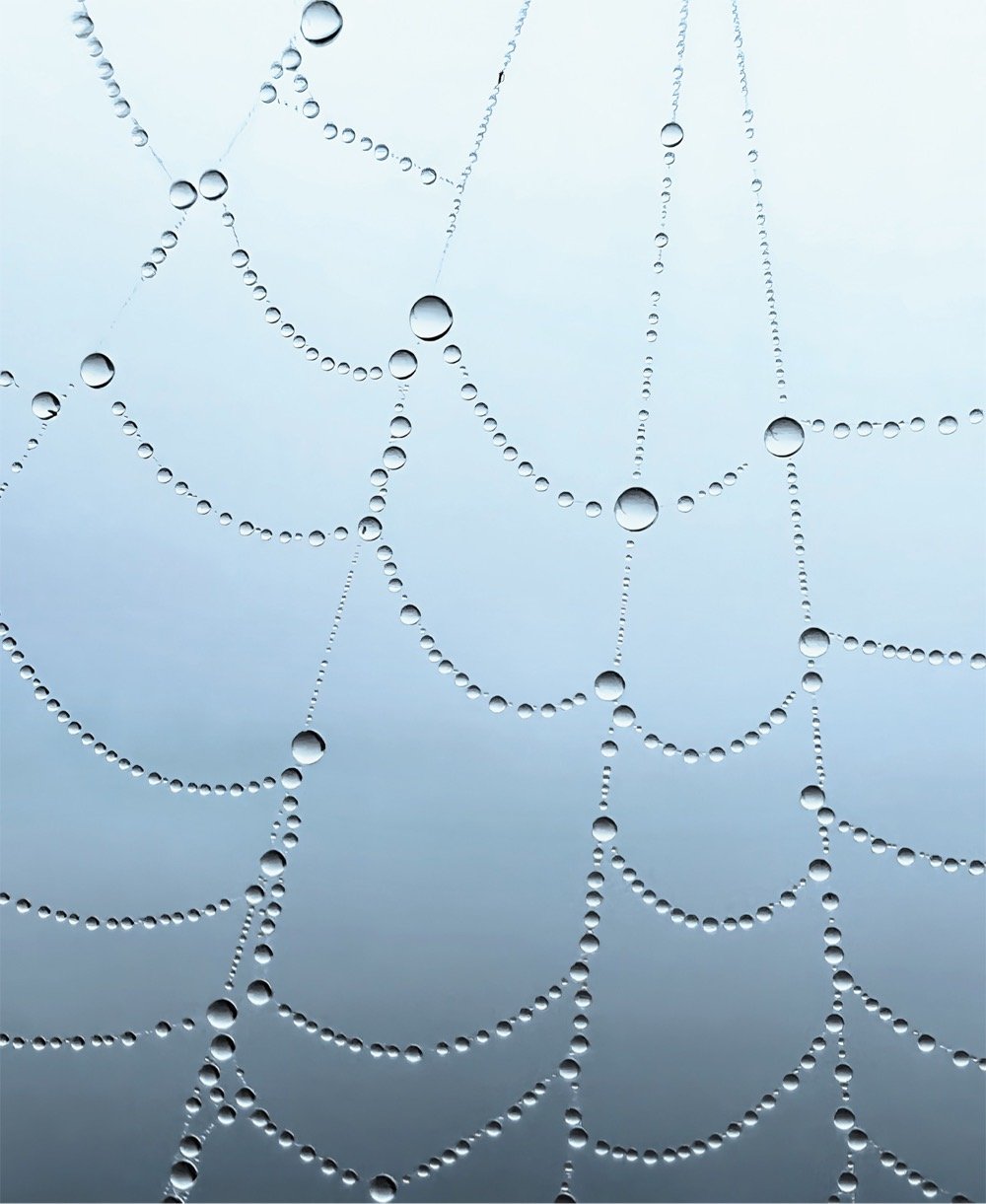
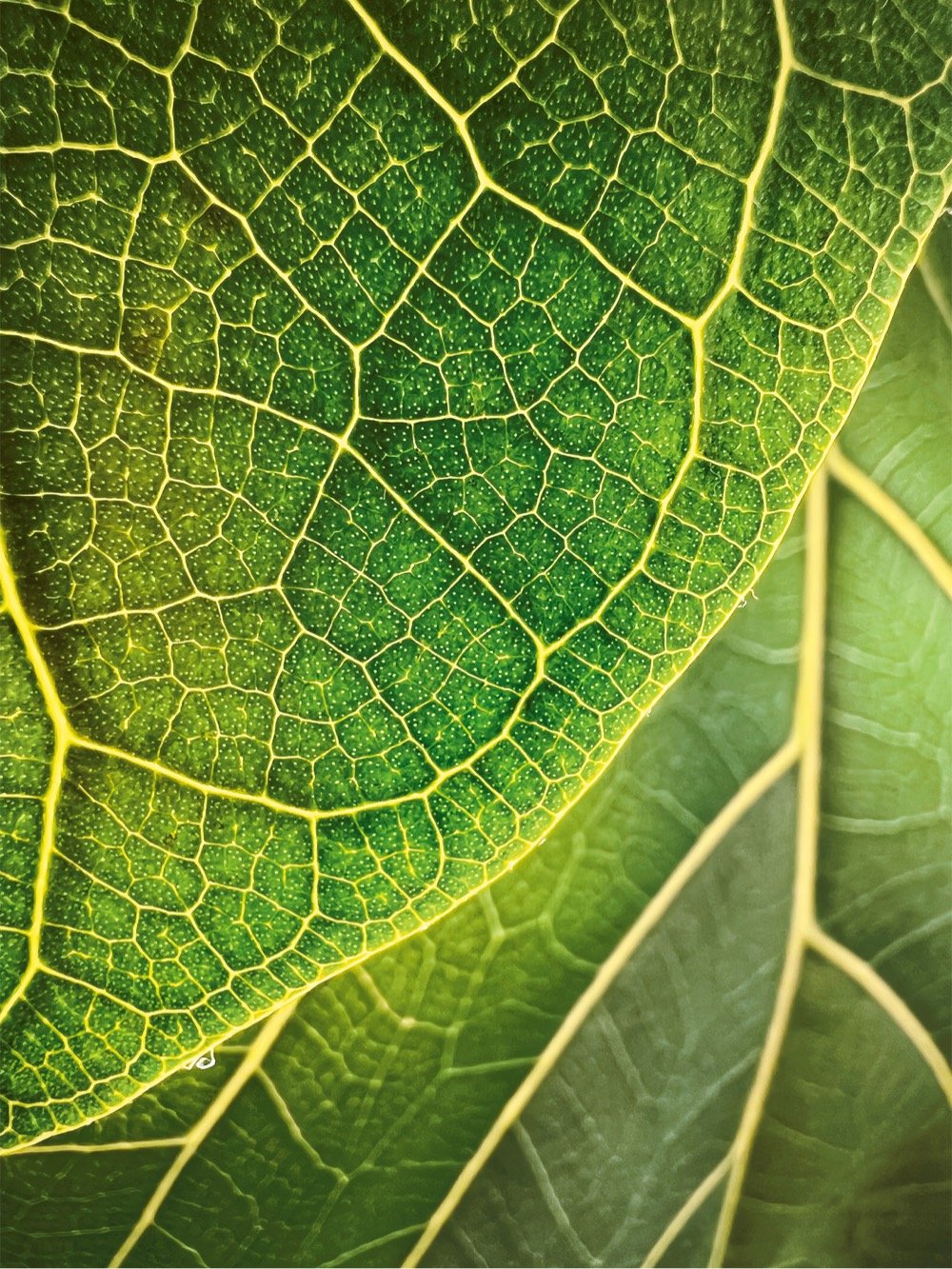
Apple recently announced the winners of a competition to highlight the best macro photos shot on the newest iPhones. Amazing photos from a phone. The camera is really the only reason I upgrade my iPhone every year…it just gets better and better.
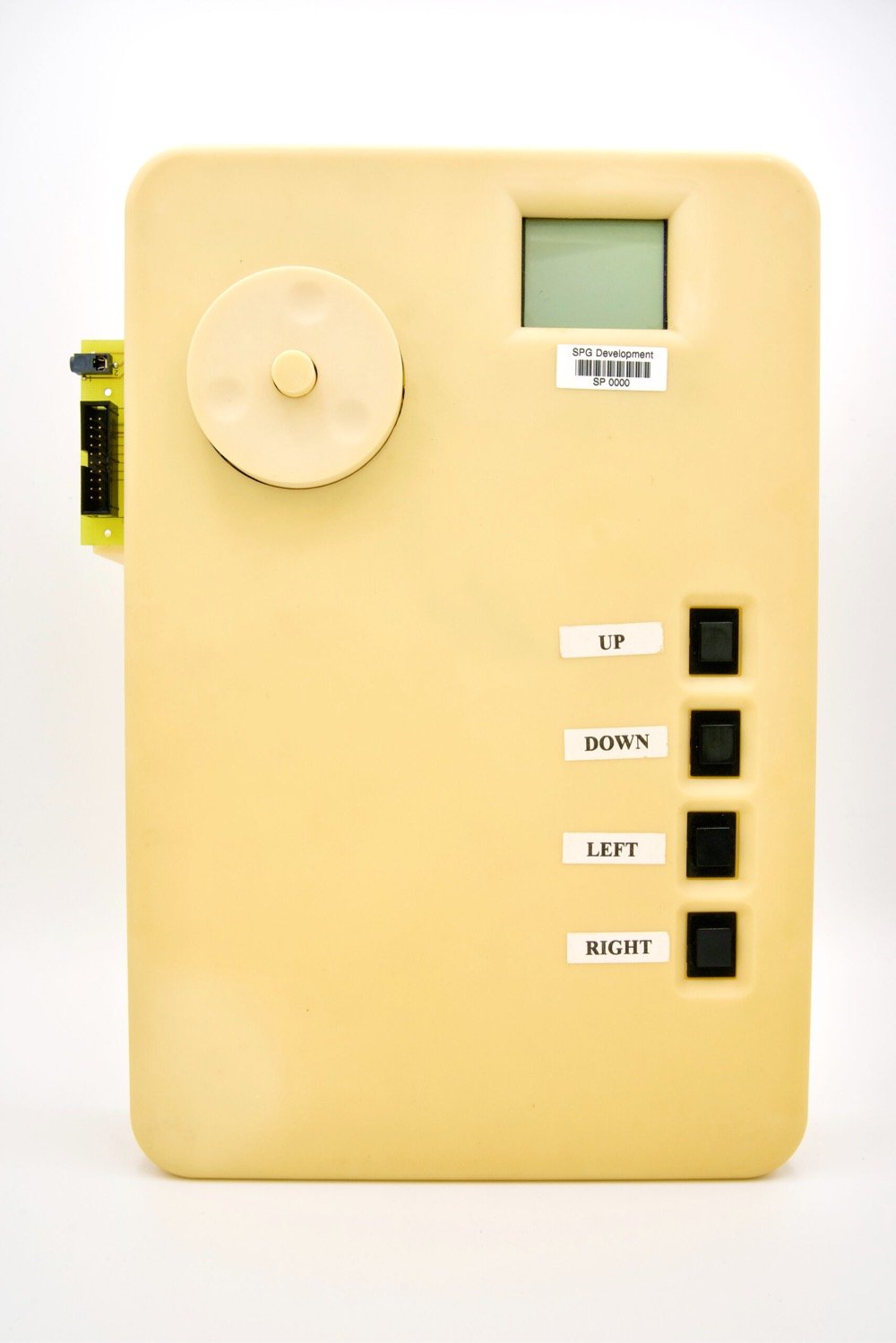
To mark the 20th anniversary of the iPod, Cabel Sasser shared some photos of one of the coolest artifacts in the Panic Archives: a prototype of the original iPod.
As you can see, it’s… quite large! We’ve always assumed that this mighty shell was designed to fit the large breadboards or circuit boards that were used during the earliest days of iPod development, until everything was eventually sized down to actual iPod-size. (It also has the Jobsian side-benefit of keeping the engineers in the dark about what the final device will look like.) I can’t get enough of those chunky, clunky, clicky black buttons wired up for navigation.
You can see how big it actually is when compared to the size of the actual iPod:
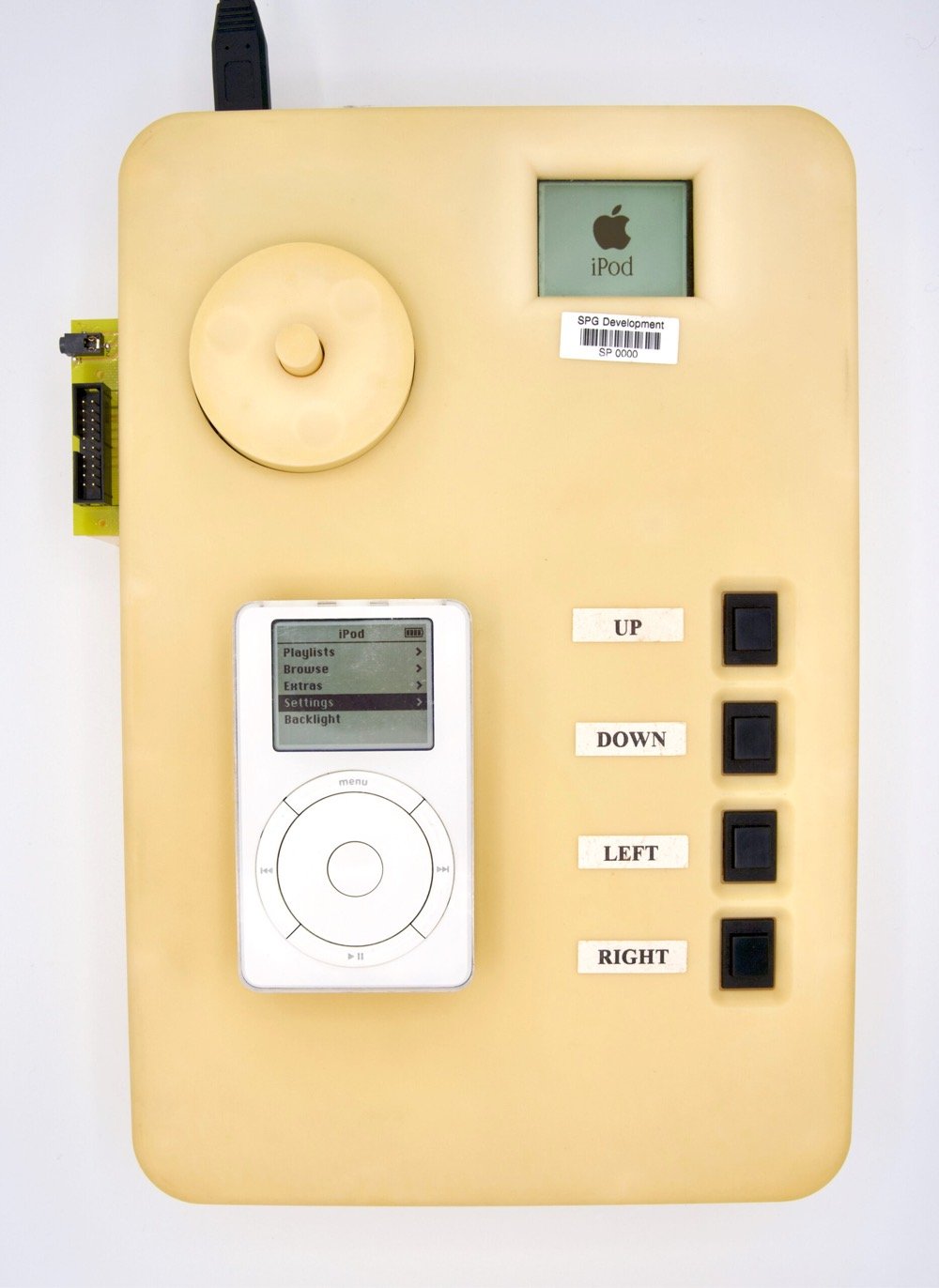
Update: Tony Fadell headed up development of the iPod at Apple and had this to say about the prototype above:
This is a P68/Dulcimer iPod prototype we (very quickly) made before the true form factor design was ready. Didn’t want it look like an iPod for confidentiality — the buttons placement, the size — it was mostly air inside — and the wheel worked (poorly)
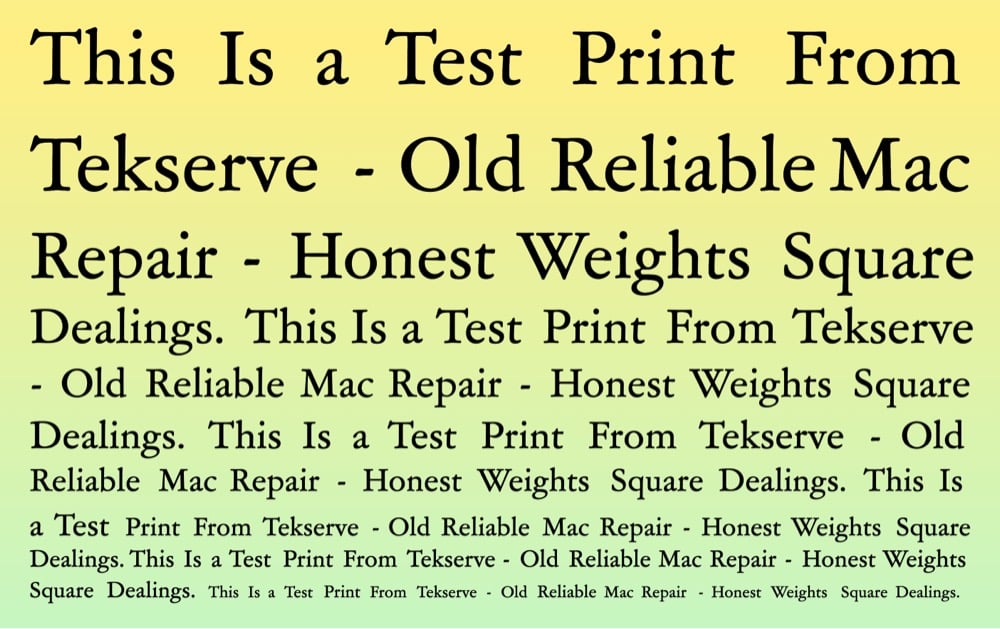
Ahhhh, The Verge has published an excerpt of Tamara Shopsin’s LaserWriter II, “a coming-of-age tale set in the legendary 90s indie NYC Mac repair shop TekServe — a voyage back in time to when the internet was new, when New York City was gritty, and when Apple made off-beat computers for weirdos”.
Joel explains that the LaserWriter II was discontinued almost ten years ago. But Tek always encourages people to fix them. Always. LaserWriter IIs are tanks, one of the most solid printers Apple ever made. The printer has only one design flaw, one thing that consistently breaks, and that flaw takes ten years to surface. Joel pauses for breath. Claire is on the edge of her seat.
He concludes, “The fan blades warp a little over time and suck in dust. This dust eventually gets into the optics and causes pages to ghost.”
Claire prints a test page from the LaserWriter II. The edges of the paper are bright white. They stipple to a black stripe of text in the center, in a kind of reverse ice cream sandwich.
Ghosting is a term used to cover a host of printing problems — double images, an image seen through the backside of the paper. Here Joel uses “ghost” to describe printing so faint it has not actually printed.
I recommend reading LaserWriter II, as well as Shopsin’s memoir Arbitrary Stupid Goal.
Older posts


Socials & More